

Thank you very much for inviting me to your school or library! I want to give the kids the very best experience so I’ve compiled a few helpful hints and resources that should make my presentation go smoothly and squeeze the most out of my visit.
-
Scheduling
Please schedule a FULL HOUR per show when creating the performance schedule. This can include the time it takes for kids to file in and out. I’ve found that an hour works best so my program doesn’t have to be rushed or cut short. I want to make sure each and every group gets the most out of each and every show!
-
Grouping
Since I work with 1st through 8th grades, please note I have two versions of my show. One is a bit expanded for the older students. If I had to choose a dividing line between these groups, I would say 3rd grade and up for the older kids. I realize that class scheduling can be difficult but please try to group similar grades together and not, for example, group 1st grade with 5th. When something like this happens, I have to revert to the younger show (to keep the younger grades engaged) and the older students miss out on advanced content.
I’ve also found that grouping certain grades together makes for a better audience (and, therefore, a better experience). Grouping 2nd grade with 1st seems to reign in the younger kids somewhat. When I get the little ones screaming, it’s hard to get them to stop!
On the other hand, grouping 6th grade with 5th helps get the older kids excited and more energetic. As you know, 6th graders are just beginning to be “too cool” for some things and the younger grade seems to loosen them up a bit.
These groupings certainly aren’t mandatory but just helpful observations I’ve made during my speaking experience.
-
Technical Needs
I usually don’t need a PA system (unless in a gym, cafeteria, auditorium, etc.).
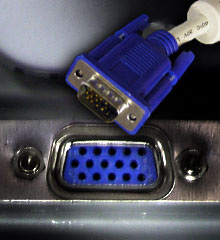
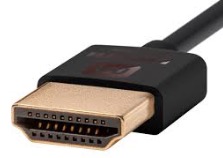
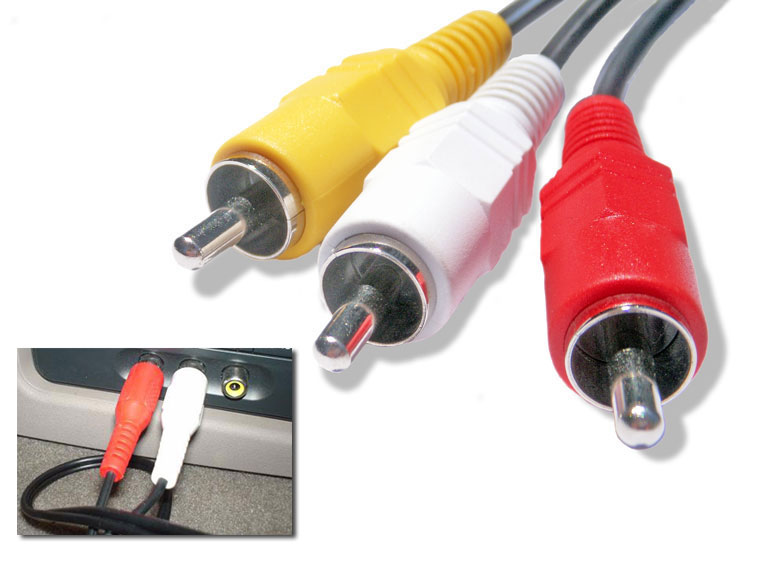
I WILL need a large TV or projector for the multimedia elements of my presentation. I bring my own laptop and use the projector’s VGA, HDMI, or RCA “line-in” inputs (shown below). This should work for every system but if you feel it won’t, please let me know with plenty of time to make other arrangements.
-
SOUND!
I’ll also need audio output for my computer. If the projector doesn’t have speakers of its own, loud computer speakers work in a pinch.
-
Water
Please have plenty of bottled water on hand. I tend to go through around a bottle per show.
-
Lunch
Please provide lunch during my visit. I’m not picky; I like everything–even school lunches are fine!
-
Book Sales and/or Signings
I don’t profit from the sale of my books, but I’m happy to provide ordering information in case a school or library wishes to purchase bulk amounts. In the past, some schools and PTA’s have resold them for fundraising purposes. Either way, I’m happy to sign as many as you like.
A PDF of my publishers’ contact information can be downloaded here:
Individual parents and/or teachers can always purchase books through Amazon (the best place to find the titles that are out of print). I’ve provided Amazon links on each of my book pages here:
-
Bookmarks
Since I can’t sign an autograph for ALL students, I like to give each school a chance to print out bookmarks with my autograph, website, and message.
The PDF can be downloaded here: